 DIMENSI
Is It AI?: Semak Gambar Tular Dijana AI, Tetapi Skor Hanya Petunjuk
Sebuah gambar tular dalam kumpulan WhatsApp pejabat. Ia menunjukkan kejadian yang menggemparkan dan nampak terlalu sempurna. Rakan sekerja sudah mula berkongsi, tetapi tiada siapa tahu sama ada gambar itu asli atau dijana AI (dicipta oleh kecerdasan buatan).
Ramai orang terus berkongsi tanpa menyemak dahulu. Is It AI? ialah alat dalam talian di isitai.com yang cuba membantu anda menyemak gambar seperti ini. Namun keputusannya hanya petunjuk, bukan bukti, jadi anda masih perlu menyemak sumber asal.
Apa fungsinya
Is It AI? menyemak sama ada gambar, video dan muzik dijana AI. Laman ini juga menyenaraikan pengesan teks sebagai alat berasingan.
Untuk gambar, anda muat naik fail atau tampal URL (alamat pautan) gambar. Menurut laman rasmi, keputusan dipaparkan dalam masa kurang daripada 3 saat. Keputusan itu mengandungi jawapan, skor daripada 100 dan penjana AI yang mungkin digunakan.
Ia membaca Content Credentials (C2PA, maklumat asal usul yang boleh disertakan dalam fail gambar) terlebih dahulu sebelum membuat analisis. Nama syarikat di sebalik laman ini tidak dinyatakan pada halaman yang disemak.
Ciri utama
- Semakan gambar, video dan muzik: satu laman untuk menyemak beberapa jenis kandungan.
- Dua cara menghantar gambar: pilih Upload Image untuk muat naik fail, atau Image URL untuk tampal pautan gambar.
- Skor dan penjana yang mungkin: keputusan disertai skor daripada 100 dan nama penjana yang mungkin.
- Semakan Content Credentials: maklumat C2PA pada gambar dibaca terlebih dahulu.
- Format fail: JPEG, PNG, WebP dan GIF, sehingga 10 MB setiap satu.
- Kemudahan akaun percuma: sejarah semakan, akses API (sambungan untuk perisian lain) dan sambungan Chrome.
Harga
Anda boleh membuat 3 semakan gambar tanpa akaun dan tanpa kad. Akaun percuma pula mendapat 5 kredit sebulan.
Setiap semakan gambar menggunakan 1 kredit, atau 2 kredit jika dengan semakan tukar muka (face swap). Video menggunakan 6 kredit bagi setiap 10 saat yang dimulakan. Ini bermakna satu semakan video sudah melebihi 5 kredit percuma.
Pelan berbayar dipaparkan dengan simbol “$”, tetapi mata wangnya tidak dinamakan. Harga di bawah ialah harga sebulan jika dibil tahunan:
- Starter: $1.99 untuk 30 kredit.
- Basic: $7.99 untuk 150 kredit.
- Growth: $46.99 untuk 1,000 kredit.
- Pro: $196.99 untuk 5,000 kredit.
Harga disemak pada 19 November 2026 dan mungkin berubah.
Cara bermula
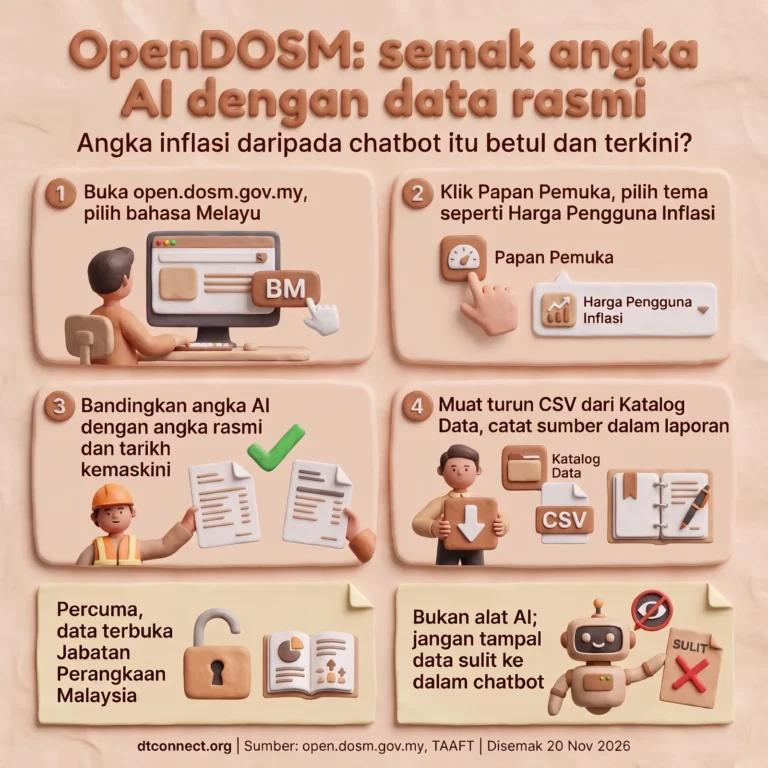
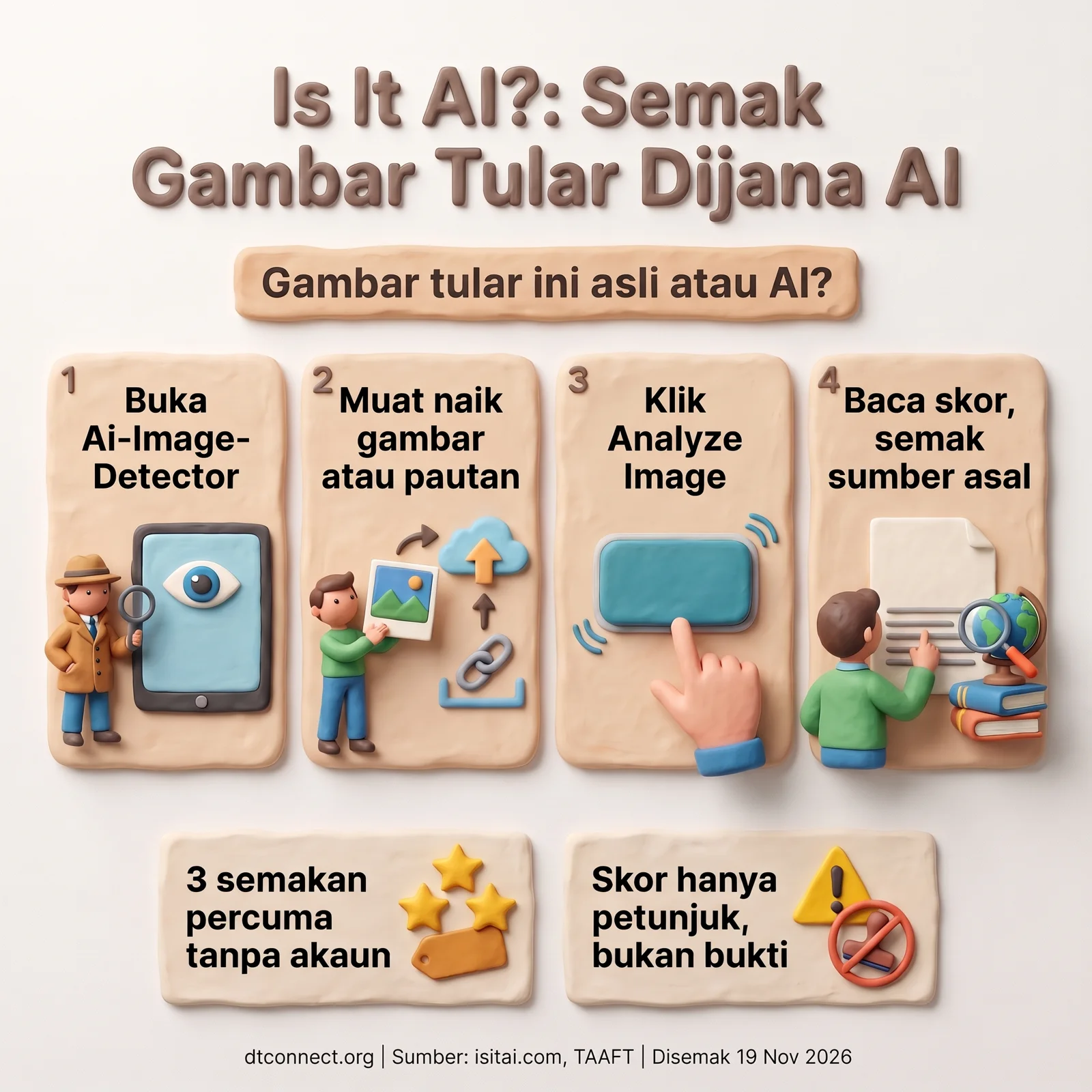
- Buka isitai.com/Ai-Image-Detector dan cari kotak Try It Now.
- Pilih Upload Image untuk muat naik gambar, atau Image URL untuk tampal pautan gambar.
- Klik Analyze Image atau Analyze URL.
- Baca keputusan dan skor, kemudian sahkan dengan sumber asal, contohnya laman berita atau kenyataan rasmi.
Had dan perkara yang perlu diberi perhatian
- Skor hanya petunjuk: penyedia sendiri menasihatkan agar keputusan dianggap satu petunjuk, bukan bukti. Jangan tuduh sesiapa memalsukan gambar hanya berdasarkan skor.
- Angka ketepatan daripada syarikat: dakwaan ketepatan “95%+” datang daripada penyedia sendiri, bukan daripada pihak bebas.
- Gambar mungkin disimpan: sejarah boleh dipadam. Jika Save images dihidupkan, gambar disimpan bersama sejarah. Jika tidak, gambar yang disimpan untuk meningkatkan model tidak dikaitkan dengan akaun anda. Ini bermakna muat naik anda mungkin tetap disimpan. Jangan muat naik gambar peribadi atau dokumen sulit.
- Kredit video cepat habis: satu semakan video sudah melebihi 5 kredit percuma sebulan.
- Bahasa Melayu tidak dinyatakan: laman ini tidak menyatakan sokongan Bahasa Melayu. Jangan anggap antara mukanya tersedia dalam Bahasa Melayu.
Sesuai untuk siapa
- Pekerja pejabat yang selalu menerima gambar tular dalam kumpulan WhatsApp.
- Pegawai komunikasi atau media sosial yang perlu menyemak gambar sebelum berkongsi.
- Sesiapa yang mahu semakan awal yang cepat dan percuma.
Ia kurang sesuai jika anda perlukan bukti muktamad, contohnya untuk aduan rasmi. Ia juga kurang sesuai untuk banyak semakan video secara percuma, atau jika gambar anda mengandungi maklumat peribadi atau sulit.
Kesimpulan
Is It AI? menyemak gambar, video dan muzik untuk melihat sama ada ia dijana AI, dengan skor daripada 100. Anda boleh cuba 3 semakan gambar tanpa akaun. Ingat tiga perkara: skor hanya petunjuk, angka ketepatan datang daripada syarikat sendiri, dan gambar yang dimuat naik mungkin disimpan. Semak dahulu, sahkan dengan sumber asal, barulah kongsi.
Sumber
Artikel ini bebas dan tidak ditaja. Ciri dan harga disemak pada 19 November 2026 dan mungkin berubah.
Read this article in English
A picture goes viral in your office WhatsApp group. It shows a shocking event and looks too perfect. Colleagues have started sharing it, but nobody knows whether the picture is real or generated by AI (created by artificial intelligence).
Many people share straight away without checking first. Is It AI? is an online tool at isitai.com that tries to help you check pictures like this. But its result is only a hint, not proof, so you still need to check the original source.
What it does
Is It AI? checks whether images, videos and music were generated by AI. The site also lists a text detector as a separate tool.
For images, you upload a file or paste the URL (link address) of the image. According to the official site, the result appears in under 3 seconds. It includes a verdict, a score out of 100 and the AI generator that may have been used.
It reads Content Credentials (C2PA, origin information that can be attached to an image file) first before analysing. The name of the company behind the site is not stated on the pages checked.
Key features
- Image, video and music checks: one site to check several types of content.
- Two ways to send an image: choose Upload Image to upload a file, or Image URL to paste a link to the image.
- Score and likely generator: the result comes with a score out of 100 and the name of the likely generator.
- Content Credentials check: C2PA information on the image is read first.
- File formats: JPEG, PNG, WebP and GIF, up to 10 MB each.
- Free account extras: check history, API access (a connection for other software) and a Chrome extension.
Price
You can make 3 image checks with no account and no card. A free account gets 5 credits per month.
Each image check uses 1 credit, or 2 credits with the face swap check. Video uses 6 credits for every 10 seconds started. This means one video check already exceeds the 5 free credits.
Paid plans are shown with a “$” symbol, but the currency is not named. The prices below are per month billed annually:
- Starter: $1.99 for 30 credits.
- Basic: $7.99 for 150 credits.
- Growth: $46.99 for 1,000 credits.
- Pro: $196.99 for 5,000 credits.
Prices were checked on 19 November 2026 and may change.
Getting started
- Open isitai.com/Ai-Image-Detector and find the Try It Now box.
- Choose Upload Image to upload a picture, or Image URL to paste a link to the picture.
- Click Analyze Image or Analyze URL.
- Read the verdict and score, then confirm with the original source, for example a news site or an official statement.
Limits and things to watch
- The score is only a hint: the provider itself advises treating the result as a hint, not proof. Do not accuse anyone of faking a picture based on the score alone.
- Accuracy figure from the company: the “95%+” accuracy claim comes from the provider itself, not from an independent party.
- Images may be stored: history can be deleted. If Save images is on, images are stored with your history. If not, images kept to improve the model are not linked to your account. This means your uploads may still be stored. Do not upload personal photos or confidential documents.
- Video credits run out fast: one video check already exceeds the 5 free credits per month.
- Malay is not stated: the site does not state support for Malay. Do not assume its interface is available in Malay.
Who it is for
- Office workers who often receive viral pictures in WhatsApp groups.
- Communications or social media officers who need to check pictures before sharing.
- Anyone who wants a quick, free first check.
It is less suitable if you need conclusive proof, for example for an official complaint. It is also less suitable for many free video checks, or if your pictures contain personal or confidential information.
Conclusion
Is It AI? checks images, videos and music to see whether they were generated by AI, with a score out of 100. You can try 3 image checks with no account. Remember three things: the score is only a hint, the accuracy figure comes from the company itself, and uploaded images may be stored. Check first, confirm with the original source, and only then share.
Sources
This article is independent and not sponsored. Features and prices were checked on 19 November 2026 and may change.